

Productivity & Mobile Hygiene
Phone Health 101: Organize Photos, Videos, and Screenshot Clutter Before It Slows You Down
6 min read · April 2026
Author
ByteVera Digital Owner
Last updated: April 2026
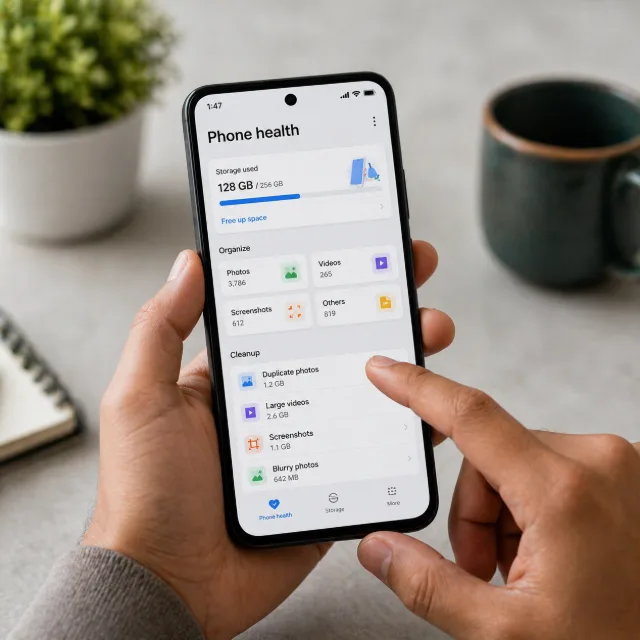
Most phones do not become "slow" overnight. Performance usually drops because storage is crowded, galleries are messy, and thousands of screenshots make search and cleanup painful. A healthier phone starts with better media hygiene, especially for screenshots that were meant to be temporary.
Step 1: Treat media clutter as a performance problem
When your device storage stays near full, backups take longer, updates become riskier, and everyday actions like opening camera or gallery feel heavier. Start by checking your largest media categories first: videos, duplicate photos, and screenshots.
Set simple targets instead of trying to clean everything in one day. For example: remove unused videos every weekend, archive important albums monthly, and cap screenshot growth with a weekly review.
Step 2: Build one clear workflow for screenshots
Screenshots are usually quick notes, receipts, chats, and temporary references. Without structure, they become the biggest hidden folder on your phone. SnapSort helps by organizing screenshots into meaningful categories so you can find what matters and delete the rest faster.
Use a lightweight routine: review fresh screenshots, keep only what has long-term value, and remove old noise. The goal is not perfection. The goal is to reduce friction so your phone remains fast and your gallery stays usable.
Step 3: Keep phone health sustainable
Phone hygiene works best as a recurring habit, not a one-time cleanup. Add a short weekly slot for gallery maintenance, and a monthly slot for deeper review. This prevents storage shocks and lowers digital stress over time.
If your screenshot count is unreasonably high, start with SnapSort as your control center. Organize first, then prune in batches. You will spend less time searching, recover storage gradually, and keep your device responsive.
Related developer tools
Continue with practical tools related to this topic.